You published the blog. You spent hours writing it, added images, chose a keyword, and finally hit Publish.
Then you waited.
A few days passed. Then a few weeks.
Still almost no visitors.
If this sounds familiar, the problem may not be that your blog is “bad.” A page can be well written and still struggle to attract Google traffic if it targets the wrong search, misses what people actually want, has technical problems, or doesn’t give readers a strong enough reason to choose it.
Google’s current guidance emphasizes helpful, reliable, people-first content rather than pages created mainly to attract search traffic. Its systems consider many signals, and E-E-A-T experience, expertise, authoritativeness and trustworthiness is a useful way to assess the quality and credibility of content. Google also says that E-E-A-T itself isn’t a single ranking factor. (Google Developers)
So before you publish another ten articles, stop and find out why the ones you already have aren’t getting traffic.
Here are the most common reasons.
1. You’re Targeting a Keyword Nobody Is Really Searching For
This is one of the easiest mistakes to make.
You find a phrase that sounds relevant to your business, write a detailed article around it, and assume visitors will come.
But relevance alone isn’t enough.
If almost nobody searches for that topic, even a great article may have very little opportunity to receive search traffic.
For example:
Suppose you sell SEO services and write:
“Why Businesses Need Better Online Visibility Management.”
It sounds professional, but it may not reflect how your potential customers actually search.
A business owner may instead search:
- why is my website not showing on Google
- how to improve Google ranking
- why is my website traffic dropping
- how to get more traffic from Google
The second group reflects a real problem.
How to fix it
Before writing, ask:
- What problem is the reader trying to solve?
- What words would they actually type into Google?
- Is there enough interest around the topic?
- Does the topic matter to my potential customer?
- Can my website realistically compete for it?
Don’t choose a keyword just because it sounds good.
Choose a topic because someone has a reason to look for it.
Google’s Search Essentials also recommends using words people would use to look for your content in important parts of the page, including the title and main heading. (Google Developers)
2. Your Content Doesn’t Match What the Searcher Actually Wants
Finding the keyword is only the beginning.
The bigger question is:
What does the person expect to find after searching it?
Imagine someone searches:
“Why is my website not ranking on Google?”
They probably don’t want a 2,000 word explanation of the history of SEO.
They want to know:
What’s wrong, and what should I do about it?
That’s search intent.
Common types include:
- Informational: “What is technical SEO?”
- Commercial: “Best SEO agency for small business”
- Transactional: “Hire SEO agency”
- Navigational: “Google Search Console login”
Your content should match the reason behind the search.
How to fix it
Before writing, search the topic yourself.
Look at the pages appearing in the results.
Ask:
What questions are these pages answering?
What information does the searcher seem to want?
Can I answer that problem more clearly and completely?
Don’t simply copy the pages already ranking.
Find what they missed.
3. Your Blog Is Too Generic
This is one of the biggest reasons content gets ignored.
Consider these two statements:
“Good SEO can help improve your website’s visibility.”
True.
But not particularly useful.
Now consider:
“If your service page ranks for the wrong search intent, you may attract visitors who are looking for information rather than someone ready to contact a business. Check the search results before deciding which page should target a keyword.”
That’s more useful because it explains what to look for and why it matters.
Generic advice is everywhere.
What makes an article memorable is:
- examples
- explanations
- personal experience
- original observations
- screenshots
- real situations
- mistakes you’ve seen
- practical steps
Google’s own guidance asks whether content provides original information, research or analysis and whether it offers substantial value beyond simply rewriting what already exists. (Google Developers)
Ask yourself:
“What am I telling the reader that they couldn’t easily learn from the first three results?”
That’s where your real value should come from.
4. You’re Trying to Rank for a Keyword That’s Too Competitive
Sometimes the problem isn’t your writing.
It’s the keyword.
A new or relatively small website trying to rank immediately for extremely competitive searches can find itself competing against websites that have been publishing useful information for years.
Instead of attacking the biggest keyword immediately, look for a more specific problem.
For example:
Instead of:
SEO
try understanding opportunities around searches such as:
SEO for small businesses
or:
why my small business website isn’t ranking on Google
The more specific search can sometimes tell you much more about what the visitor needs.
A better approach
Build gradually:
Specific problem
↓
Useful article
↓
Related articles
↓
Internal links
↓
Stronger topical coverage
↓
Broader topics
Don’t try to win every search with one article.
5. Your Website Has Technical SEO Problems
You can write the best article in your industry and still have problems if search engines can’t properly access or understand the page.
Some common issues include:
- Page isn’t indexed
- Incorrect
noindexdirective - Broken links
- Incorrect canonical URL
- Poor mobile experience
- Very slow pages
- Poor site structure
- Incorrect redirects
- Crawl problems
- Missing or poorly implemented sitemap
- Pages buried too deeply within the website
What should you check first?
Open Google Search Console and inspect the URL.
Check:
Is the URL indexed?
Then check:
Can Google access the page?
Then:
Does the page appear correctly on mobile?
Then:
Are there technical problems affecting the experience?
Google’s Search Essentials identifies technical requirements as the baseline for a page to be eligible to appear in Search, while its page-experience guidance recommends looking at the overall experience rather than obsessing over one isolated metric. (Google Developers)
6. Your Blog Has Weak Internal Linking
Imagine you’ve written 20 useful articles.
But each article sits alone.
One page doesn’t lead naturally to another.
You’re making the reader do the work of finding related information.
That’s a missed opportunity.
Suppose you’re writing:
Why Your Blog Isn’t Getting Traffic
You could naturally connect it to articles about:
- keyword research
- technical SEO
- search intent
- internal linking
- Google Search Console
- on-page SEO
- content strategy
This helps readers discover more useful information and helps search engines understand how your pages relate to one another.
A simple structure
Main topic
→ Supporting article
→ Supporting article
→ Supporting article
→ Supporting article
Then connect those pages naturally.
Don’t add links simply to increase the number of links.
Add them when the reader would genuinely benefit from the next page.
Google recommends making links crawlable and using descriptive link text so both people and search engines can understand where the link leads. (Google Developers)
7. Your Website Doesn’t Have Enough Topical Depth
One article rarely establishes your expertise in an entire subject.
Let’s say your website wants to become known for SEO.
You could have one article:
What Is SEO?
Or you could build a useful collection around the subject:
- What Is SEO?
- Why Is My Website Not Ranking?
- How Keyword Research Works
- Search Intent Explained
- On-Page SEO Checklist
- Technical SEO Guide
- Internal Linking Guide
- How to Improve Existing Content
- Google Search Console Guide
- SEO for Small Businesses
Now your website isn’t relying on one page.
You’re creating a library of related knowledge.
This is also consistent with Google’s current emphasis on topic-specific expertise and original, useful content. In a February 2026 update concerning Discover, Google said its systems are designed to recognize expertise on a topic-by-topic basis. (Google Developers)
8. You’re Expecting Results Too Quickly
This is probably the most frustrating part of SEO.
You publish an article.
You wait a week.
Nothing happens.
So you assume the article failed.
Not necessarily.
Search results change constantly, and Google says that after improvements, some changes can take days while others can take several months as its systems learn and reassess a site’s content. Google also notes that there is no guarantee a particular change will produce a ranking improvement. (Google Developers)
Instead of checking your ranking every few hours, watch the bigger picture.
Monitor:
- Impressions
- Clicks
- Queries
- Average position
- Pages receiving traffic
- Pages losing traffic
- New keywords appearing
- Pages that are indexed
If impressions are increasing, something is happening even if you’re not getting many clicks yet.
SEO is usually a process of publish → observe → improve → update → repeat.
9. Your Title Isn’t Giving People a Good Reason to Click
Your title is often the first thing a searcher sees.
Compare:
SEO Tips for Businesses
with:
Why Your Website Isn’t Showing on Google 9 Things to Check First
The second one immediately communicates:
- the problem
- the audience’s concern
- the promise of an answer
But don’t turn your title into clickbait.
The article must actually deliver what the title promises.
Google’s guidance recommends descriptive, helpful page titles and warns against exaggerated or shocking titles. (Google Developers)
A useful title formula
Problem + specific promise
For example:
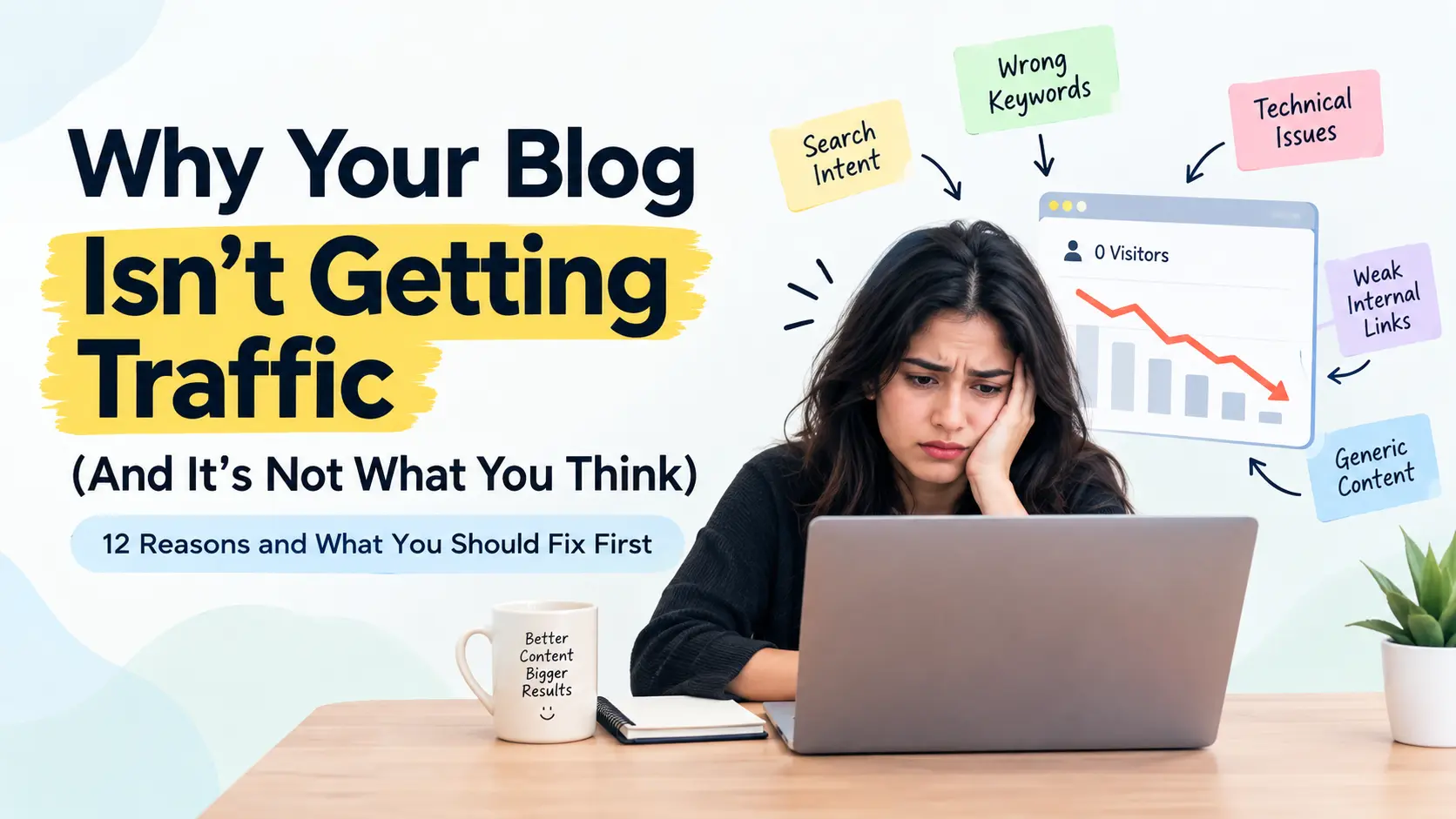
Why Your Blog Isn’t Getting Traffic 12 Reasons and What to Fix First
or:
Your Website Gets Impressions but No Clicks? Here’s What to Check
or:
Why Your Business Isn’t Showing on Google A Practical SEO Checklist
10. You’re Not Updating Your Older Content
Publishing new articles is not the only way to grow.
Sometimes your older content has more potential than the next article you are planning.
Imagine an article published two years ago.
It already has:
- backlinks
- impressions
- some rankings
- internal links
- Google’s understanding of the page
But the information is outdated.
Instead of abandoning it, review it.
Look for:
- outdated information
- missing sections
- weak examples
- old screenshots
- broken links
- poor headings
- outdated statistics
- missing internal links
- changes in search intent
Then improve the actual content.
Don’t simply change the publication date.
Google specifically warns against changing dates just to make an unchanged page appear fresh. (Google Developers)
11. You’re Writing for Keywords Instead of People
This is where many SEO articles go wrong.
The writer finds a keyword and then forces it into every paragraph.
The result sounds unnatural.
For example:
“If you want blog traffic, blog traffic is important because blog traffic helps increase blog traffic…”
Nobody wants to read that.
Write naturally.
If the reader understands the subject, Google has many ways to understand what your page is about without you repeating the same phrase twenty times.
Instead of repeating one keyword:
Explain the actual subject.
Talk about:
- the problem
- the cause
- the solution
- examples
- related questions
- practical steps
- mistakes
- your experience
Your goal isn’t to make the page look optimized.
Your goal is to make the page useful enough that someone would recommend it to another person.
Google’s current people-first guidance specifically warns against creating content primarily to attract search-engine visits. (Google Developers)
12. Your Article Doesn’t Show Enough Real Experience
This is where you can make your content much stronger.
Anyone can write:
“Internal linking is important.”
But a person who has actually worked on websites can explain:
“One of the first things we check during a content audit is whether important pages are connected from related articles. We’ve seen websites with dozens of good articles where the strongest commercial pages receive almost no internal links from the site’s informational content.”
That feels different.
It tells the reader:
Someone has actually worked with this problem.
Add things you’ve genuinely experienced:
- Client examples
- Before-and-after screenshots
- Website audits
- Search Console observations
- Content experiments
- Mistakes you’ve corrected
- Your process
- Lessons learned
Don’t invent numbers or results.
Real experience even when the result isn’t impressive is more valuable than impressive-looking claims you can’t prove.
Google’s guidance specifically asks whether content demonstrates first-hand expertise and whether the author or publisher’s background helps establish trust. (Google Developers)
A Simple 15-Minute Blog Traffic Check
Before writing another article, take your existing blog and ask these questions:
Search demand
☐ Is anyone actually searching for this topic?
Search intent
☐ Does my article answer what the searcher really wants?
Competition
☐ Am I trying to compete for a search that’s far too broad?
Content
☐ Have I explained the subject properly?
☐ Have I included useful examples?
☐ Have I added something original?
Technical
☐ Is the page indexed?
☐ Can Google access it?
☐ Does it work properly on mobile?
Internal links
☐ Does another relevant page link to this article?
☐ Does this article link to other useful pages?
Trust
☐ Is the author clearly identified?
☐ Have I shown real experience?
☐ Are important claims supported by reliable sources?
Freshness
☐ Is anything outdated?
☐ Does the article still match what people are searching for?
If you find several “no” answers, you may have found the reason your traffic is low.
What Should You Do If Your Blog Has Almost No Traffic?
Don’t immediately delete it.
Start with the diagnosis.
Step 1: Check indexing
Use Google Search Console.
Step 2: Check the search query
Make sure you’re targeting something people actually want.
Step 3: Study the search results
Look at what Google is currently showing.
Step 4: Compare your article
Ask:
What useful information do those pages provide that mine doesn’t?
Step 5: Improve the article
Don’t just add words.
Add better information.
Step 6: Strengthen internal links
Connect the article with related pages.
Step 7: Improve the title
Make the promise clear without misleading the reader.
Step 8: Add genuine experience
Use examples, screenshots, observations and lessons from your actual work.
Step 9: Give it time
Watch Search Console rather than expecting an overnight transformation.
Step 10: Review again
SEO isn’t a one-time task.
Your competitors change.
Search behavior changes.
Your industry changes.
Your content should change too.
How E-E-A-T Fits Into Your Blog
You don’t need to write the words “E-E-A-T” throughout your article.
Instead, demonstrate it.
Experience
Show what you’ve actually done.
Expertise
Explain the subject accurately and clearly.
Authoritativeness
Build credibility through your work, reputation and relevant references.
Trust
Be transparent about who wrote the content, where information comes from and what you actually know.
Google says trust is the most important part of E-E-A-T, while also clarifying that E-E-A-T itself isn’t a single ranking factor. (Google Developers)
That’s why a blog shouldn’t merely claim to be written by an expert.
It should give the reader reasons to believe it.
The Bigger Problem May Not Be Your Blog
Sometimes people blame the article when the real problem is the whole journey.
A visitor might find your article, read it, and still leave because:
- Your website looks outdated
- Your services aren’t clear
- There’s no obvious next step
- Your business information isn’t convincing
- Your other content isn’t useful
- Your pages are difficult to navigate
- Your contact process is confusing
Getting someone to your website is only one part of the job.
The real goal is:
Get the right person → answer their question → earn their trust → help them take the next step.
That’s what useful content should do.
Final Thoughts
If your blog isn’t getting traffic, don’t immediately assume you need to publish more content.
You may need to fix the content you already have.
Check the keyword.
Check the search intent.
Check indexing.
Look at your competitors.
Improve your depth.
Add real examples.
Strengthen your internal links.
Build related content.
Update outdated information.
And most importantly, stop writing only because you want another page on Google.
Write because you have something genuinely useful to tell the person who is searching.
Google’s current guidance continues to emphasize helpful, reliable, people-first content, original value and demonstrated expertise rather than content created mainly to manipulate rankings. Its ranking systems are also continually updated, so there is no permanent formula that guarantees a #1 position. (Google Developers)
If your blog has been sitting on Google with little or no traffic, the answer may not be “write more.”
It may simply be:
Find what’s wrong. Fix it. Make the page genuinely better. Then give Google and your readers a reason to notice it.