Written by: Founder, Digital Markz
Location: Delhi, India
Expertise: SEO, Google Ads (PPC), AI Marketing, Automation, Lead Generation, Website and App Development.
Disclosure: Digital Markz offers SEO, GEO and AEO services discussed in this article.
Introduction
Getting a website to appear on Google is an important step towards building an online presence. However, publishing pages and waiting for visitors is not enough. Website owners also need to understand how their pages perform in search results, which search terms bring visitors, and whether Google can properly crawl and index their content.
This is where Google Search Console becomes useful.
Google Search Console is a free service from Google that helps website owners monitor their website’s performance in Google Search. It provides information about search impressions, clicks, indexing status, technical problems, backlinks and other important areas that influence how a website appears in search results.
Whether you manage a small business website, an online store, a blog or a large business platform, understanding Search Console can help you make better SEO decisions.
For example, a website might receive thousands of impressions but very few clicks. Another website might have valuable pages that Google has discovered but not indexed. These situations require different solutions, and Search Console helps identify where attention is needed.
In this guide, we will explore the important Google Search Console features, explain how they work and discuss how website owners can use their information to improve organic search performance.
What Is Google Search Console?
Google Search Console (GSC) is a free website monitoring service provided by Google. It allows website owners, SEO professionals and developers to understand how their websites perform in Google Search.
It provides information about:
- Search impressions and clicks.
- Average search position and click-through rate.
- Search queries that bring visitors.
- Indexed and non-indexed website pages.
- Sitemap submission and processing.
- Website crawling and indexing problems.
- Internal and external links.
- Core Web Vitals.
- Mobile and rich result-related reports where applicable.
- Security issues and manual actions.
One important thing to understand is that Search Console does not directly improve your website rankings. Instead, it provides information that helps you identify problems, evaluate performance and make informed SEO improvements.
For businesses investing in SEO, this information is valuable because it helps connect website optimisation activities with actual search performance.
1. Performance Report: Understand How Your Website Appears on Google
The Performance report is one of the most useful features of Google Search Console. It helps website owners understand how people discover their pages through Google Search.
Instead of relying on assumptions about which keywords are working, you can examine actual search performance data.
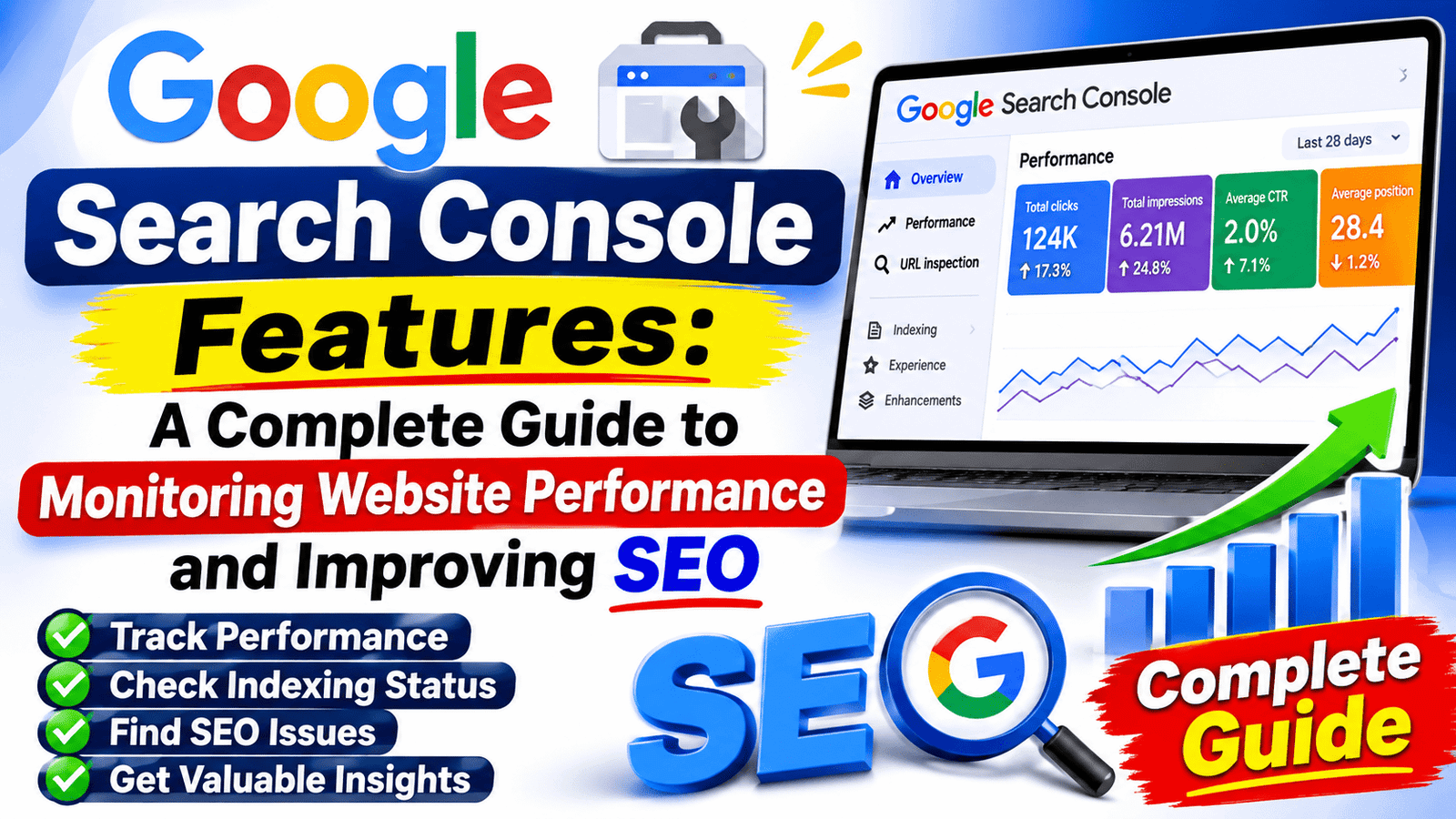
The report provides four important metrics.
Total Clicks
Clicks represent the number of times users clicked on your website’s search result and visited your website.
For example, if your website receives 500 clicks during a particular month, it means users clicked through to your website 500 times from the relevant Google Search results.
Monitoring clicks helps you understand whether your organic search traffic is increasing or decreasing.
Total Impressions
Impressions indicate how frequently your website appeared in Google Search results.
For example, if a service page receives 10,000 impressions but only 200 clicks, it means the page appeared frequently but attracted a relatively small proportion of those searchers.
High impressions can indicate that Google is showing your page for relevant queries, even when visitors are not clicking through.
Average Click-Through Rate (CTR)
CTR represents the percentage of impressions that resulted in clicks.
The calculation is:
CTR = (Total Clicks ÷ Total Impressions) × 100
For example, if a page receives 1,000 impressions and 50 clicks, its CTR is 5%.
A low CTR does not automatically mean that something is wrong. Search position, search intent, competition and the wording of the search result can all affect whether someone clicks.
If a page receives good impressions but very few clicks, review its SEO title, meta description and relevance to the search query.
Average Position
Average position provides an indication of where your website’s search results appeared during the selected period.
For example, if an important service page has an average position of 12 for a target search query, it may be worth reviewing its content, internal links and relevance to that query.
Remember that average position is an aggregated metric. It should not be treated as the exact ranking a person will see in every search.
How SEO Professionals Use the Performance Report
An experienced SEO professional can use this report to:
- Identify search queries generating organic traffic.
- Discover pages receiving the most impressions.
- Find queries with high impressions and low CTR.
- Compare performance across different periods.
- Understand search performance by country and device.
- Identify pages that may need content improvements.
For example, if a website receives impressions for a keyword that is not naturally covered in its existing content, the SEO team can assess whether the page should be improved or whether a separate, more relevant page is needed.
2. URL Inspection Tool: Check Individual Website Pages
The URL Inspection tool helps you understand what Google knows about a particular website URL.
It is especially useful when a newly published blog post or service page does not appear in Google Search.
You can enter a complete page URL into the inspection bar and review its indexing information.
The tool provides information about:
- Whether the URL is indexed.
- The last crawl date.
- Whether crawling is allowed.
- Whether indexing is allowed.
- The Google-selected canonical URL.
- Sitemap and referring page information, where available.
- Details from a live URL test.
Inspect a Live URL
The live test allows you to check the current version of a page and identify certain technical issues that might prevent Google from accessing or indexing it.
This can be useful after updating a page, correcting a technical issue or changing important website elements.
Request Indexing
After publishing a new page or making significant changes, you can use the Request Indexing option.
This tells Google that you would like the page to be considered for crawling and indexing.
However, requesting indexing does not guarantee that Google will index the page immediately or include it in search results.
Google still evaluates the page according to its crawling, indexing and search systems.
Practical SEO example:
Suppose you publish a new article on your business website, but it does not appear in Google after several days.
You can inspect the URL, check its indexing status, review any reported issues and submit an indexing request if appropriate.
This is much more useful than repeatedly submitting the same URL without understanding why it has not been indexed.
3. Page Indexing Report: Find Out Which Pages Google Has Indexed
The Page Indexing report helps you understand how many website URLs Google has indexed and which URLs are not included in its index.
This report is particularly important for websites that regularly publish new articles, product pages, service pages or other content.
Not every discovered URL needs to be indexed. For example, duplicate pages, redirected URLs and pages intentionally marked as noindex may correctly remain outside Google’s index.
The important task is to identify whether your valuable pages are being indexed.
Common Page Indexing Statuses
Some common statuses include:
Crawled – Currently Not Indexed
Google has crawled the page but has not included it in the index at that time.
Possible reasons include limited content value, duplication or other quality and indexing considerations. The status alone does not identify the exact reason.
Discovered – Currently Not Indexed
Google knows that the URL exists but has not crawled it yet.
This can happen when a website has many URLs, limited internal linking or other crawling-related challenges.
Duplicate Without User-Selected Canonical
Google considers the page a duplicate and has selected another URL as its canonical version.
Review whether the selected canonical URL is appropriate.
Excluded by Noindex Tag
The page contains a noindex directive, which tells search engines not to include it in their index.
Check whether this instruction is intentional.
Page with Redirect
The URL redirects visitors and search engines to another address. In many cases, the original URL does not need to be indexed separately.
How to Use This Report
Start by checking your most important website pages:
- Homepage.
- Main service pages.
- Important category pages.
- High-quality blog articles.
- Product pages.
- Contact and business information pages where appropriate.
If an important page is not indexed, inspect its URL and investigate the reported reason.
Do not try to achieve 100% indexing for every URL. Focus on making sure that the important, original and useful pages are accessible and eligible for indexing.
4. Sitemap Report: Help Google Discover Your Important Pages
An XML sitemap provides search engines with information about the important URLs on your website.
Google can discover pages through internal links and other methods, but submitting a sitemap through Search Console gives you another way to communicate which URLs you consider important.
The Sitemaps report allows you to submit a sitemap and review its processing status.
Important Sitemap Information
When you submit a sitemap, Search Console can show:
- Sitemap URL.
- Submission date.
- Last read date.
- Processing status.
- Discovered URL information, where available.
What Does a Successful Sitemap Status Mean?
A successful status generally means Google was able to fetch and read the sitemap.
However, this does not mean that every URL listed inside it has been indexed.
If the sitemap reports an error, check whether:
- The sitemap URL is correct.
- The sitemap is accessible.
- The file follows the expected XML format.
- The listed URLs use the correct canonical versions.
- The website is not blocking access to the sitemap.
For WordPress websites, SEO plugins such as Yoast SEO and Rank Math can generate XML sitemaps automatically.
For ecommerce websites, it is important to ensure that the sitemap contains the appropriate canonical product and category URLs.
5. Links Report: Understand Your Website’s Link Structure
Links play an important role in website navigation and search engine discovery.
Google Search Console provides a Links report that offers information about links pointing to and connecting pages on your website.
The report is divided into two major areas.
External Links
External links are links from other websites that point to your website.
The report can help you identify:
- Top linking websites.
- Top linked pages.
- Common linking text.
For example, if several relevant industry websites link to your business website, you can investigate those links and understand which pages attract attention from other publishers.
However, the number of backlinks alone does not determine SEO success. Relevance, quality and the circumstances in which links were created also matter.
Internal Links
Internal links connect one page of your website to another page on the same website.
They help visitors navigate your website and help search engines discover relationships between different pages.
For example, a blog discussing search engine optimisation can naturally link to your SEO service page.
Similarly, a website development article can link to a relevant website development service.
When reviewing internal links, look for important pages that receive very few internal links. Adding relevant links from related content can make those pages easier to discover.
6. Core Web Vitals Report: Understand Real-World Page Experience
Website performance affects how visitors experience your pages.
A website that takes too long to load, responds slowly or shifts its layout unexpectedly can frustrate visitors.
Google Search Console provides a Core Web Vitals report based on real-world user experience data collected through the Chrome User Experience Report.
It focuses on three important measurements.
Largest Contentful Paint (LCP)
LCP measures how quickly the largest visible content element loads.
A good LCP score is 2.5 seconds or less.
If your website has a slow LCP, investigate large images, server response times, render-blocking resources and other loading issues.
Interaction to Next Paint (INP)
INP measures how quickly a website responds visually to user interactions throughout a visit.
A good INP score is 200 milliseconds or less.
If users experience delayed responses after clicking buttons, opening menus or interacting with forms, your website may need improvements to its JavaScript execution and main-thread workload.
Cumulative Layout Shift (CLS)
CLS measures unexpected layout movement while a page loads.
A good CLS score is 0.1 or less.
For example, if an image or advertisement loads without reserved space, the surrounding content may suddenly move.
Providing appropriate image dimensions and reserving space for dynamically loaded elements can help reduce unexpected layout shifts.
Why Core Web Vitals Matter
A technically fast website creates a better experience for visitors.
However, passing Core Web Vitals does not guarantee higher rankings. Google considers multiple factors when determining search results.
Website owners should treat these measurements as part of a broader website quality and performance strategy.
7. Manual Actions Report: Check for Google Search Policy Violations
Google has search policies that websites are expected to follow.
If Google’s review process identifies certain violations, a website may receive a manual action.
The Manual Actions report helps website owners check whether Google has applied a manual penalty to their website.
Examples of issues that may result in manual actions include:
- Unnatural links.
- Automatically generated spam.
- Hidden text or keyword stuffing.
- Deceptive redirects.
- Thin affiliate content.
- Other violations of Google’s spam policies.
If a manual action appears, read the explanation carefully and identify the affected pages or sections.
Fix the underlying problems before submitting a reconsideration request.
Simply removing a few suspicious links or changing some words may not be enough if the underlying problem remains.
8. Security Issues Report: Protect Your Website Visitors
Website security should never be ignored.
A compromised website can damage visitor trust, affect business operations and create problems in Google Search.
The Security Issues report alerts website owners when Google detects certain security-related problems.
These may include:
- Hacked content.
- Malware.
- Unwanted software.
- Other security threats affecting visitors.
If Search Console identifies a security issue, investigate the affected URLs and clean the website properly.
For WordPress websites, this may involve checking administrator accounts, updating plugins and themes, removing malicious files and reviewing server security.
After resolving the problem, follow Google’s instructions for requesting a security review.
Website security is not only a technical responsibility. It is also an important part of maintaining customer confidence.
9. Enhancements and Rich Results Reports
Search Console can provide reports for supported structured data and search appearance features when Google detects eligible items on a website.
Depending on the website and its implementation, these reports may include information about products, breadcrumbs, videos and other supported rich result types.
These reports help website owners identify structured data errors and warnings.
For example, an ecommerce website may use product structured data to provide Google with information about product prices, availability and other relevant details.
If Search Console identifies an error, review the structured data implementation and correct the problem.
It is important to remember that valid structured data does not guarantee that Google will display a rich result. Google determines eligibility and appearance according to its own requirements.
10. Discover and Google News Performance Reports
Some websites may also receive performance data from Google Discover and Google News.
These reports are particularly useful for publishers, news websites and websites whose content receives visibility through these Google services.
The reports can provide information such as:
- Total clicks.
- Total impressions.
- Click-through rate.
- Top-performing pages.
- Content performance over selected periods.
For example, a publisher may notice that a particular article receives significant traffic through Discover even though its traditional organic search traffic is relatively low.
This information helps publishers understand how their content reaches different audiences.
These reports only appear when the website has relevant data and eligibility.
11. Recommendations and Overview: Review Important Website Information
The Search Console overview page provides a summary of important information about your website.
Depending on the property and available data, it can display information about search performance, indexing, recommendations and other reports.
The recommendations section may highlight opportunities or issues worth reviewing.
However, recommendations should be evaluated in the context of your website rather than followed without investigation.
For example, a recommendation to improve a page should lead to a review of its search intent, content quality, technical condition and user experience.
A recommendation is a starting point for investigation, not a guarantee of improved rankings.
How to Use Google Search Console for Better SEO Results
Understanding individual features is useful, but the real value comes from using their information together.
Here is a practical approach that website owners and SEO professionals can follow.
Step 1: Review Search Performance
Start with the Performance report.
Identify which queries generate clicks and impressions. Look for pages that are receiving visibility but are not attracting enough visitors.
Step 2: Check Important Pages for Indexing
Use the Page Indexing report to identify important URLs that are not indexed.
Inspect individual URLs to understand the reasons behind their status.
Step 3: Review Sitemap Health
Confirm that your sitemap is accessible and successfully processed.
Check whether important canonical URLs are included.
Step 4: Improve Internal Linking
Use the Links report to identify important pages that may need stronger internal linking.
Connect related articles, service pages and relevant website sections naturally.
Step 5: Monitor Website Experience
Review the Core Web Vitals report.
Investigate pages with poor performance and work with your developer to resolve the underlying issues.
Step 6: Compare Performance Regularly
Compare performance across relevant periods.
For example, compare the previous three months with the preceding three months to identify changes in organic visibility.
Remember to consider seasonal demand, website updates and changes in search behaviour before drawing conclusions.
Common Google Search Console Mistakes Website Owners Should Avoid
Even when a website has Search Console configured correctly, mistakes in interpreting its information can lead to poor SEO decisions.
Here are some common examples.
1. Assuming every non-indexed page is a problem
Some URLs should not be indexed, including duplicate pages and pages intentionally marked as noindex.
2. Requesting indexing repeatedly
Submitting the same URL again and again does not guarantee faster indexing. Investigate the underlying issue instead.
3. Focusing only on clicks
Impressions, CTR, average position and search queries provide additional context about organic performance.
4. Ignoring high-impression, low-CTR pages
These pages may have opportunities for better titles, descriptions and content alignment.
5. Treating average position as an exact ranking
Average position is an aggregated metric and can vary across queries, devices and locations.
6. Ignoring technical problems
Indexing issues, broken internal links and poor page performance can affect the overall health of a website.
7. Expecting immediate SEO improvements
Search performance changes take time. Technical corrections, content improvements and indexing updates do not necessarily produce immediate ranking changes.
Google Search Console vs Google Analytics: What Is the Difference?
Google Search Console and Google Analytics are both useful for website analysis, but they serve different purposes.
Google Search Console focuses on how your website performs in Google’s search services.
Google Analytics helps you understand what visitors do after they arrive on your website, including their interactions and engagement.
For example, Search Console can show that a particular service page received 300 clicks from Google Search.
Google Analytics can help you investigate what visitors did after reaching that page, such as whether they viewed other pages, submitted a form or completed a conversion.
Using both tools together provides a broader understanding of website performance.
Frequently Asked Questions About Google Search Console
1. Is Google Search Console free to use?
Yes. Google Search Console is a free service provided by Google. Website owners can use it to monitor search performance, indexing information, technical reports and other website-related data.
2. How long does Google Search Console take to show data?
It depends on the report and website. New properties may take several days to begin showing performance information. Some reports also have different data processing and update schedules.
3. Does Google Search Console improve website rankings?
No. Search Console does not directly improve rankings. It provides information that helps website owners identify issues and make improvements to their websites.
4. Why are my website pages not indexed by Google?
There can be several reasons, including duplicate content, noindex directives, crawling problems, weak internal linking and other technical or quality-related considerations. Use the Page Indexing report and URL Inspection tool to investigate individual cases.
5. What is the difference between crawling and indexing?
Crawling is the process through which Google accesses and reads a page. Indexing involves processing the page’s information and potentially including it in Google’s search index. A crawled page is not automatically indexed.
6. How often should I check Google Search Console?
For most business websites, reviewing Search Console regularly, such as weekly or monthly, is useful. You should also check relevant reports after major website changes, technical updates or significant drops in search performance.
7. Can I use Google Search Console for keyword research?
Yes. The Performance report provides actual search queries that have generated impressions and clicks for your website. These queries can help you identify content opportunities and understand what your audience is searching for.
8. Does submitting a sitemap guarantee indexing?
No. Submitting a sitemap helps Google discover URLs, but it does not guarantee that every listed page will be crawled or indexed.
Final Thoughts
Google Search Console is an important tool for anyone responsible for a website’s organic search performance. Its reports help website owners understand how their pages appear on Google, identify indexing problems, monitor search queries and investigate technical issues.
However, collecting data is only one part of SEO. The real improvement comes from understanding what the information means and taking appropriate action.
If a page receives impressions but few clicks, review its search appearance and relevance. If an important page is not indexed, investigate the technical and content-related reasons. If visitors experience slow loading or unexpected layout movement, work on improving the website’s performance.
For businesses looking to build stronger online visibility, combining Google Search Console insights with a well-planned SEO strategy, useful content and a technically sound website can support sustainable organic growth.
At Digital Markz, we work with businesses on SEO, website development, Google Ads and digital marketing strategies that focus on improving online visibility and generating meaningful enquiries.
If you want to understand how your website is performing in Google Search, start by reviewing its Search Console data and identifying the areas that need attention.
Explore Digital Markz:
- Website: https://digitalmarkz.com/
- SEO Services: https://digitalmarkz.com/seo/
- Google Ads Services: https://digitalmarkz.com/google-ads